Networking
Docker networking is like the communication system for your containers, allowing them to talk to each other and the outside world.
It is used to communicate between multuple containers and also with the host machine.By default use bridge network which is a private internal network that allows containers to communicate with each other.
Bridge Network
When you run a Docker container, it uses a network called Bridge by default. This is like a private road inside Docker that lets containers talk to each other.
If you don’t tell Docker which network to use, it will automatically connect the container to this bridge network.
Docker also gives each container its own IP address inside this private network. These IPs are only for use inside Docker.
When a container needs to access the internet (like to download updates), it uses your computer’s internet connection through the bridge network.
Diagram
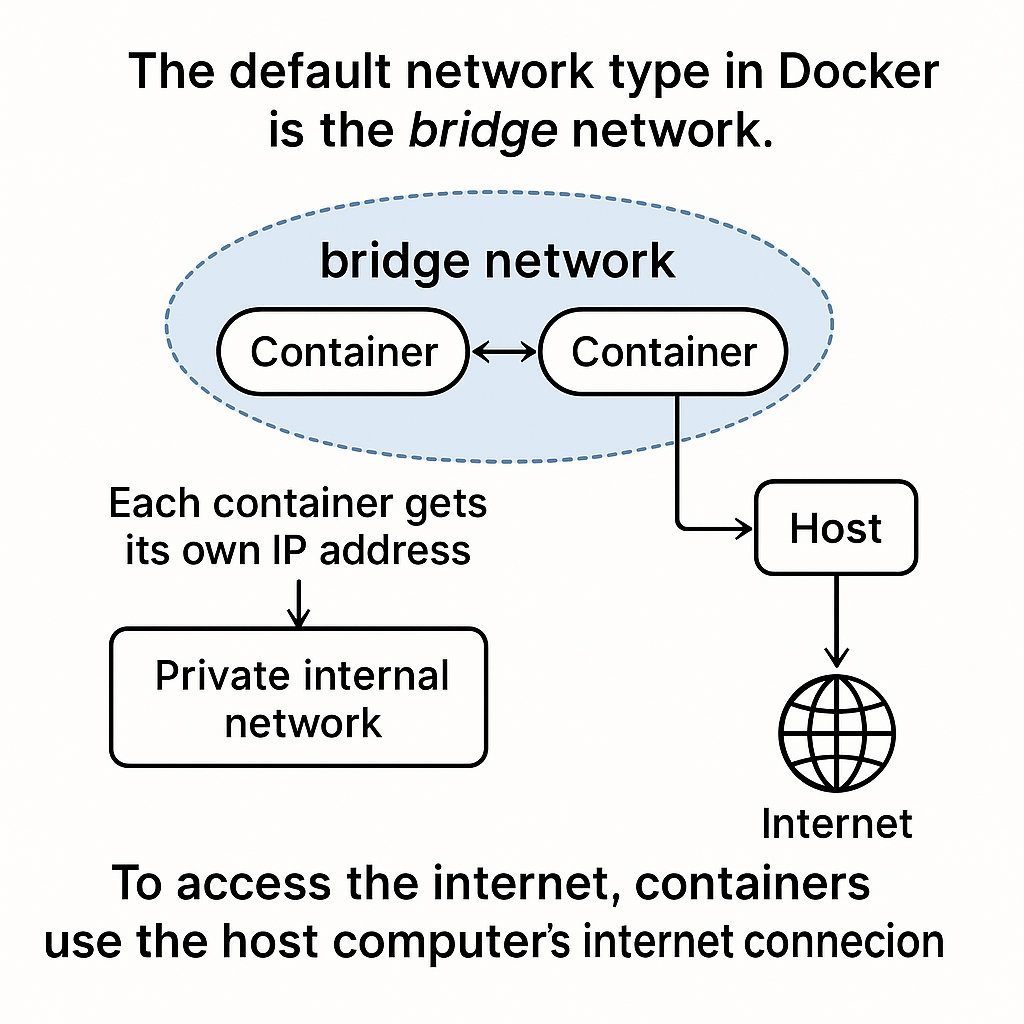
Ponts To Remember:
- Docker creates a private network (called bridge).
- Containers can talk to each other inside it.
- Each container gets its own IP address.
- For internet, they use your computer’s IP via the bridge network.
Custom Bridge Network
You can create your own bridge networks if you want more control over how containers communicate. It gives you more control than the default bridge network that Docker creates automatically.
You don’t need to Remember any command simply do docker network it list the all the usefull commands related to network.
| Command | Description |
|---|---|
| connect | Connect a container to a network |
| create | Create a network |
| disconnect | Disconnect a container from a network |
| inspect | Display detailed information on one or more networks |
| ls | List networks |
| prune | Remove all unused networks |
| rm | Remove one or more networks |
Example
Imagine you're building a small web app with these components:
webcontainer → runs your front-end (React)apicontainer → handles the back-end logic (Node.js)dbcontainer → stores your data (PostgreSQL)
Instead of putting all of these in the default Docker network. So you want these containers to talk to each other, so you create a custom bridge network called my_custom_network.
Then you run your containers and attach them to this network:
PostgreSQL
Node.Js
React
Now:
apican talk todbby just callingdb:5432webcan callapiusingapi:3000- All containers can communicate easily without worrying about IP addresses.
- But nothing outside this network can access these unless exposed.